A. Markdown I (Basic Syntax)
Learn Markdown in 1 Minutes: https://www.youtube.com/shorts/4z0l5Kl2Q6E
Source:
- https://www.markdownguide.org/
- https://www.markdownguide.org/basic-syntax/
- ~~https://www.markdownguide.org/extended-syntax/ (Later in Markdown II)~~
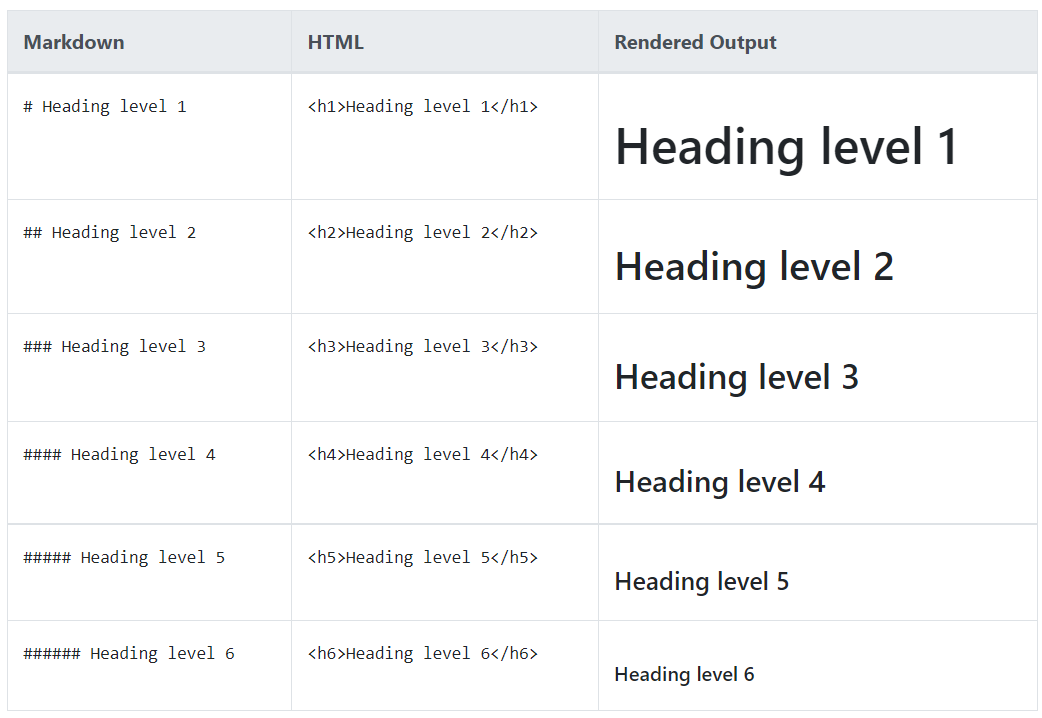
A.1 Heading
Untuk membuat Heading, gunakan symbol (#) didepan kata atau judul, Jumlah banyaknya symbol (#) akan menyesuaikan dengan level dari heading.
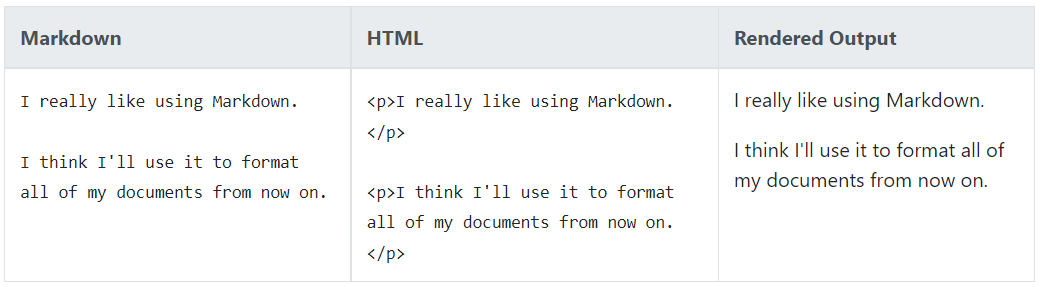
A.2 Paragraphs
Untuk membuat paragraph, gunakan garis baru untuk memisahkan paragraph text.
A.3 Line Breaks (Garis Baru)
<br>

A.4 Emphasis (Bold, Italic, Bold & Italic)
| Emphasis | Syntax | Contoh |
|---|---|---|
| Italic | * |
Italicized text is the cat's meow. |
| Bold | ** |
I just love bold text. |
| Bold & Italic | *** |
This text is really important. |
A.5 Lists
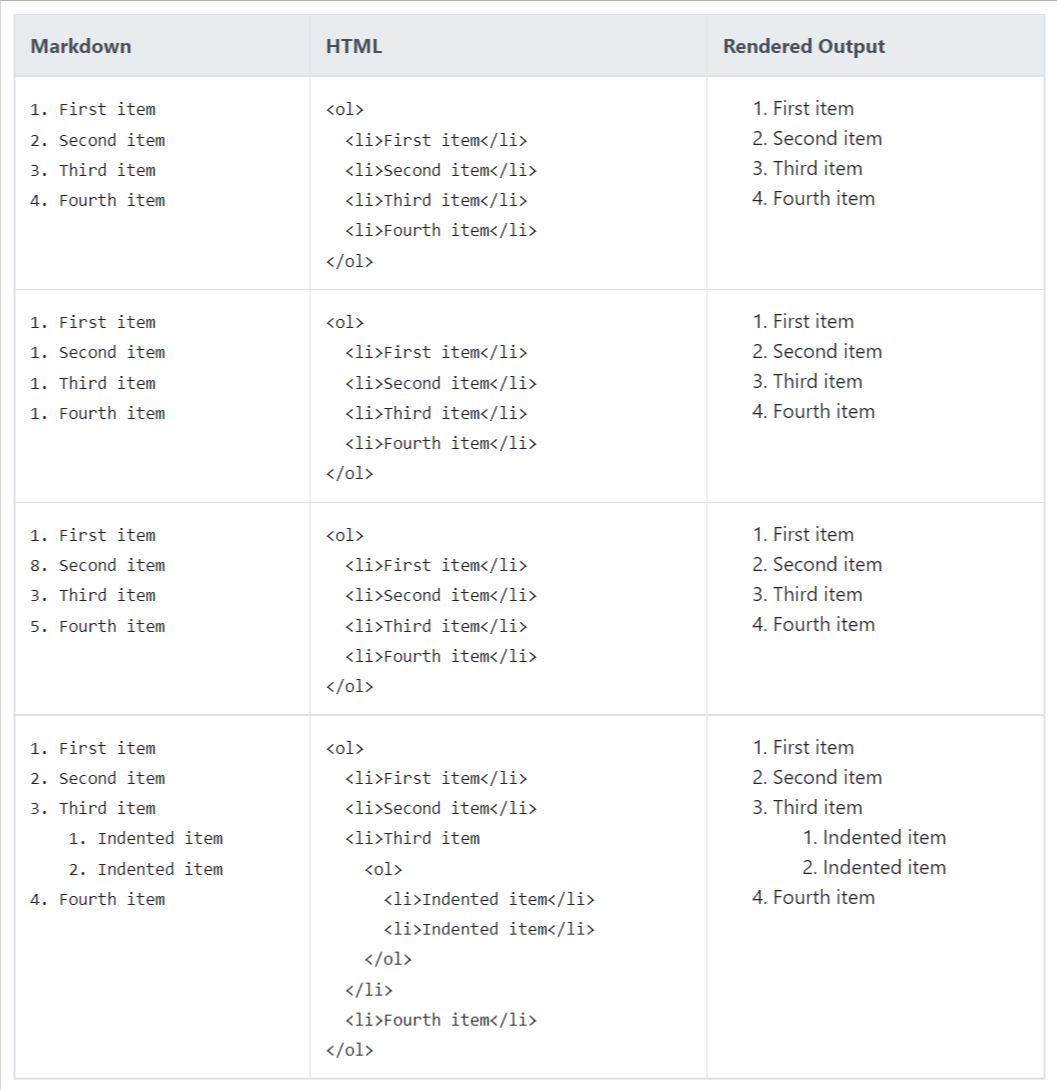
A.5.1. Ordered Lists
Untuk membuat list berurutan, tambahkan item baris dengan angka diikuti dengan titik. Nomor tidak harus dalam urutan numerik, tetapi list harus dimulai dengan nomor satu.
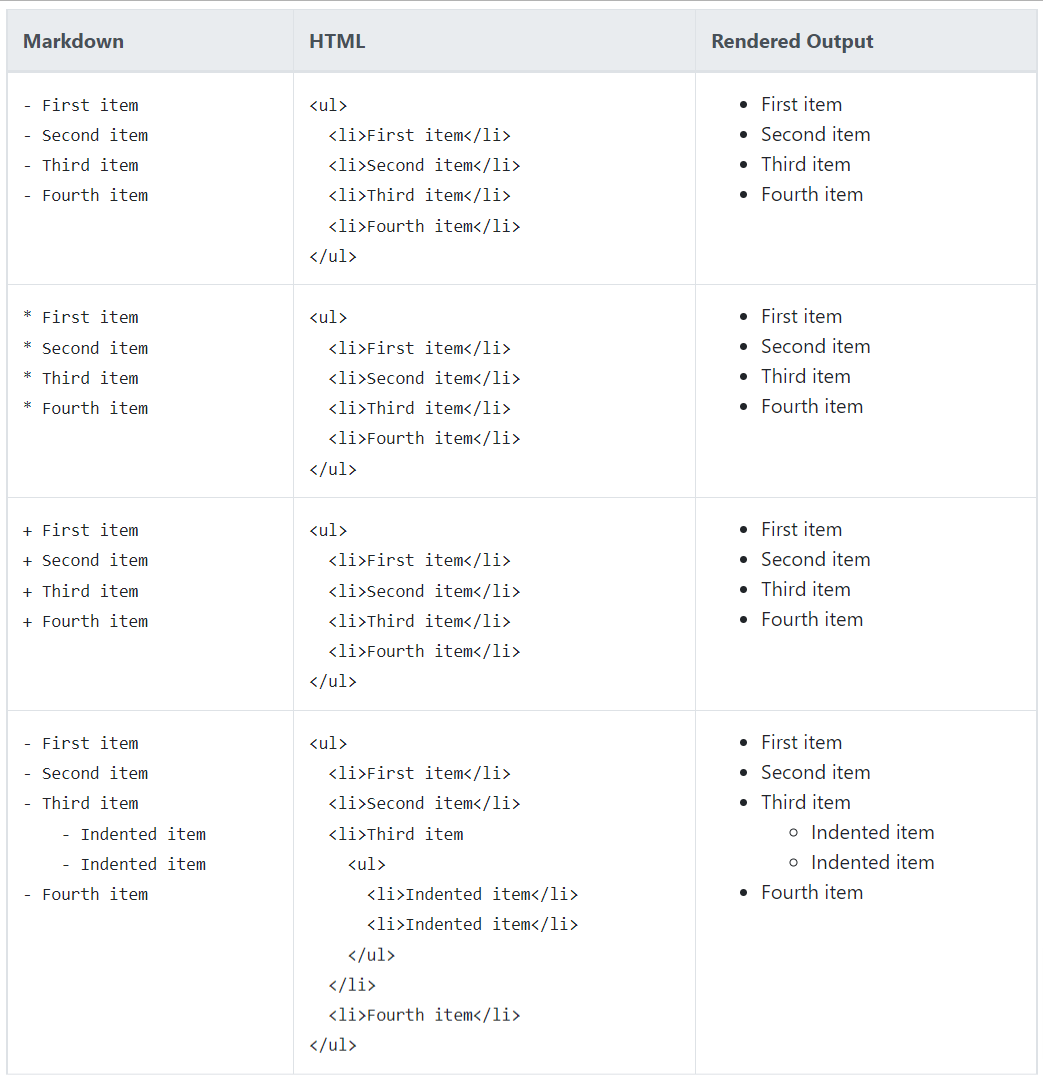
A.5.2. Unordered Lists
Untuk membuat list yang tidak berurutan, tambahkan tanda kurang (-), tanda bintang (*), atau tanda tambah (+) di depan item baris. Indentasi satu atau beberapa item untuk membuat nested-list.
A.6 Code Blocks
sample
sample
{
  "firstName": "John",
  "lastName": "Smith",
  "age": 25
}
Syntax Highlighting Example
{
  "firstName": "John",
  "lastName": "Smith",
  "age": 25
}
// Hello World! program
namespace HelloWorld
{
    class Hello {
        static void Main(string[] args)
        {
            System.Console.WriteLine("Hello World!");
        }
    }
}
A.7 Links
Untuk membuat link, lampirkan teks tautan dalam tanda kurung siku (mis., [Duck Duck Go]) lalu segera ikuti URL dalam tanda kurung (mis., (https://duckduckgo.com)).
contoh
My favorite search engine is Duck Duck Go.
A.8 Images
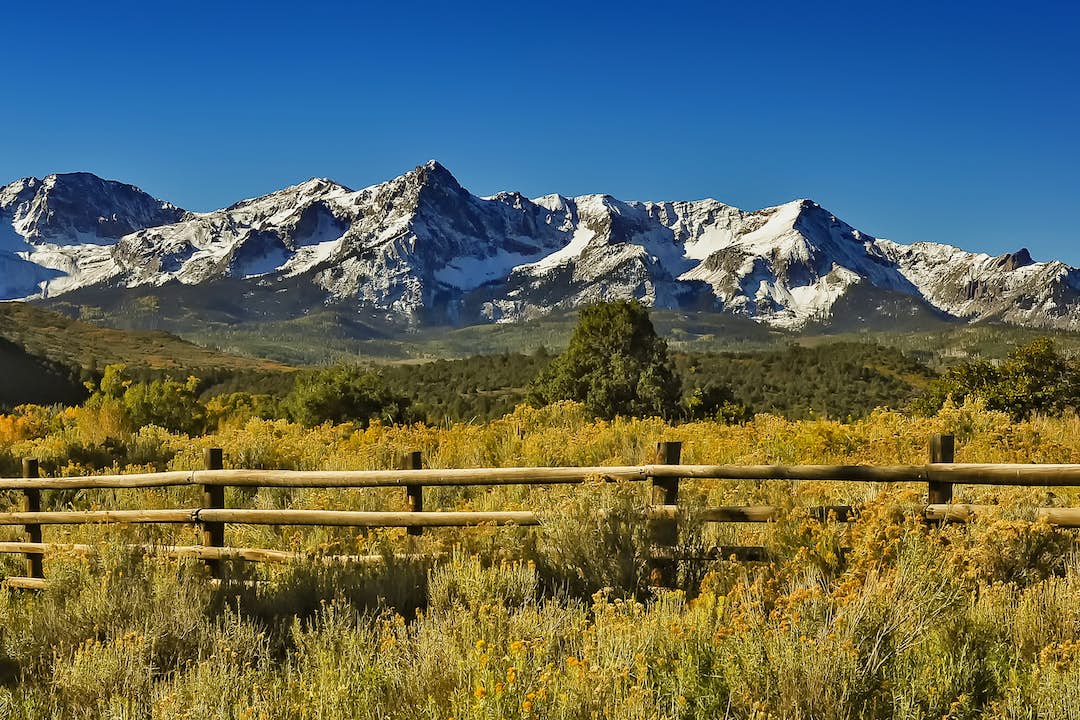
Untuk menambahkan gambar, tambahkan tanda seru (!), diikuti oleh alt-text dalam tanda kurung, dan tambahkan path atau URL ke aset gambar dalam tanda kurung. Anda dapat secara opsional menambahkan judul dalam tanda kutip setelah path atau URL.
Contoh:
B. MKDocs
Dokumentasi https://www.mkdocs.org/getting-started/
B.1 Install Python & MKdocs
- Install Python: https://www.python.org/
- Install Mkdocs
pip install mkdocs
B.2 Membuat Project MKdocs
- Jalankan perintah berikut di terminal
mkdocs new nama-project
- Lalu masuk ke direktori project
cd nama-project
B.3 Menjalankan Project
- Jalankan perintah berikut di terminal
mkdocs serve
B.4 Mengganti Thema
Thema MKdocs: https://github.com/mkdocs/mkdocs/wiki/MkDocs-Themes
- Install Thema yang dipilih
- Ganti Thema di file config
site_name: My Docs
theme:
  name: material
B.5 Deploy Project MKdocs
- Buat Repository di Github
- Upload Project Ke Github
git init
git add .
git commit -m "first-commit"
git remote add origin alamat-repo
git branch -M main
git push -u origin main
- Generate MKdocs Project Pages
mkdocs gh-deploy
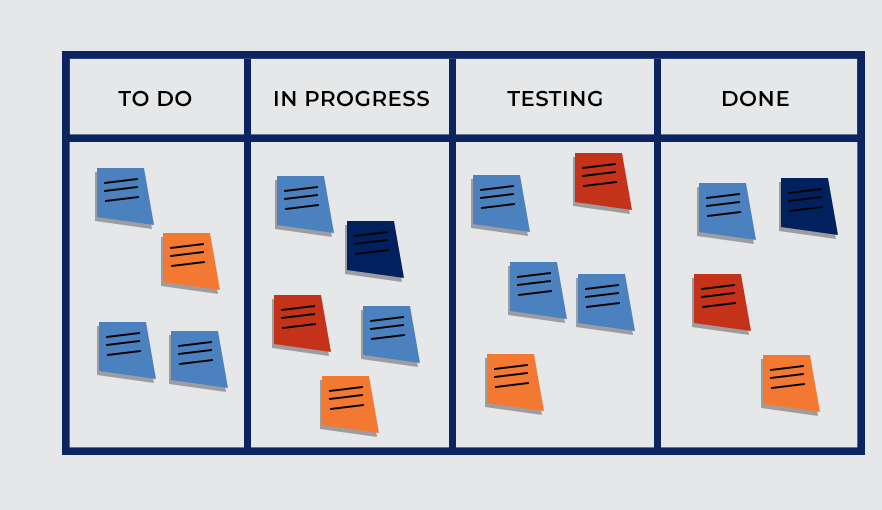
C. Obsidian I (Kanban Exntensions)
Github Repo: obsidianmd/obsidian-sample-plugin
Kanban Obsidian
