1. vscode update notice 1.72
2. Github Profile
3. How To Use Github on Public(Shared Computer) Safely
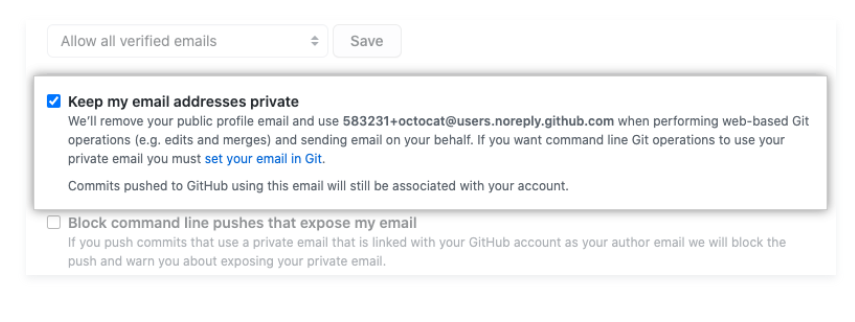
A. Email
B. Github SSH
- Melihat SSH key yang tersimpan
ls -al ~/.ssh
- Generate SSH-Key
ssh-keygen -t ed25519 -C "your_email@example.com"
Masukan sesuai E-Mail yang dipakai di Github
- Tekan Enter (Pilihan untuk directory SSH secara default /home/YOU/.ssh/)
> Enter a file in which to save the key (/home/YOU/.ssh/ALGORITHM):[Press enter]
- Masukan Passphrase (Password Sebagai Pengamanan Tambahan)
> Enter passphrase (empty for no passphrase): [Type a passphrase]
> Enter same passphrase again: [Type passphrase again]
- Menambahkan SSH-Key ke SSH-agent
memulai ssh-agent
eval "$(ssh-agent -s)"
menambahkan ssh key
ssh-add ~/.ssh/id_ed25519
- Tambahkan SSH key ke github
Settings>SSH and GPG keys
- Test SSH-Key
ssh -T git@github.com